

Website Design

Website Maintenance Plan Essentials: How Outsourcing Can Streamline Your Routine

Top 5 Platforms to Hire Reliable WordPress Programmers for Freelance Projects

Finding skilled WordPress programmers for freelance projects can be a game-changer for businesses in the USA and UK looking to build, maintain, or enhance their websites. With the growing demand for high-quality WordPress development, knowing where to find reliable talent is crucial. According to a report by Statista, nearly 43% of all websites on the internet are built using WordPress. This statistic underscores the high demand for WordPress developers, especially for freelance projects that require flexible, cost-effective, and skilled professionals. But where can you find these experts? In this article, we’ll highlight the top 5 platforms to hire WordPress programmers for freelance projects, along with actionable tips to help you choose the right one. Why You Need a Reliable WordPress Programmer for Freelance A reliable WordPress programmer for Freelance projects can help you achieve more than just a functional website. They ensure that your site is fast, secure, and optimized for conversions. Here’s why hiring a professional matters: Customization: Tailored themes, plugins, and integrations that meet your business needs. Speed Optimization: Faster websites lead to better user experience and higher SEO rankings. Ongoing Support: Get ongoing maintenance, updates, and security patches. A poorly developed site can hurt your brand’s image and reduce conversion rates. That’s why it’s critical to find a developer who understands your business needs and delivers quality work. the top 5 platforms you can consider when hiring WordPress programmers for freelance projects are: 1. Upwork Upwork is one of the largest and most established freelance platforms, connecting businesses with WordPress programmers from across the globe. It’s a well-known marketplace where you can post a job, review proposals, and select the most suitable candidate. How It Works Post a job with clear project details, budget, and timeline. Receive proposals from freelance WordPress developers. Review portfolios, skills, and client feedback. Select a candidate and manage the project through Upwork’s platform. The benefits for using Upwork are: Access to thousands of WordPress programmers worldwide. Flexibility to hire hourly or project-based freelancers. Built-in payment protection to ensure secure transactions. While Upwork has a large pool of talent, the quality varies. Look for developers with high ratings, positive reviews, and relevant project experience.   2. Bold Assistants Similar to Upwork, Bold Assistants connects businesses with a global pool of  WordPress programmers for freelance. The platform’s competitive bidding system helps you get a range of price options for your project. Bold Assistants is your go-to solution. Unlike other platforms, Bold Assistants helps you recruit pre-vetted overseas talent who deliver high-quality work at affordable rates. How It Works: Request a WordPress developer for your project. Get matched with overseas talent vetted for quality and skills. The benefits of using Bold Assistants are: Lower hiring costs compared to local talent. Fully vetted developers from overseas markets. Learn more about how Bold Assistants can help you hire a WordPress developer. 3. Toptal Toptal focuses on connecting businesses with the top 3% of freelancers worldwide, ensuring you’re working with the best WordPress programmers for freelance work. Toptal’s vetting process is rigorous, and only a small percentage of applicants are accepted. How It Works Submit your project requirements to Toptal. The platform matches you with top WordPress developers. Review and approve the suggested candidates. The benefits of using Bold Assistants are: Access to elite WordPress programmers for freelance projects. Rigorous vetting process to ensure only top talent is available. Hassle-free matching process with pre-vetted candidates. Toptal’s services come with a premium price tag. If you’re working on a high-end project with a larger budget, it’s worth considering. 4. Fiverr Fiverr offers a straightforward approach to hiring WordPress programmers for freelance projects. Instead of bidding, freelancers list their services with set prices, allowing you to select the service that matches your needs. How It Works Browse freelancer profiles and search for WordPress services. View service packages with fixed pricing and timelines. Contact the freelancer and place an order. The benefits of using Bold Assistants are: Access to affordable, fixed-price packages. Transparent pricing and clear deliverables. Ability to see reviews and ratings before hiring. Fiverr is a great option if you’re looking for small, one-off WordPress tasks, like bug fixes or minor design changes. For larger, ongoing projects, it’s wise to work with a dedicated WordPress programmer. 5. Codeable Unlike general freelancing platforms, Codeable focuses exclusively on WordPress developers. The platform guarantees high-quality service by vetting developers and offering customer support throughout your project. How It Works Submit a project with your specific WordPress development needs. Get matched with the best-suited WordPress experts. Collaborate with the developer and track progress. The benefits of using Bold Assistants are: Exclusive focus on WordPress programmers. High level of expertise and quality assurance. Custom matching process to connect you with the right developer. Codeable.io is ideal for businesses that need specialized WordPress development. While it’s more costly than platforms like Upwork, it’s a smart choice for complex projects that require niche expertise. How to Choose the Best Platform for Your Project Choosing the right platform depends on your specific project needs, budget, and timeline. Here’s a quick breakdown: Budget-conscious? Check out Fiverr or Freelancer.com. Looking for elite talent? Toptal or Codeable.io are great choices. Need flexibility? Upwork offers a vast pool of talent at all price points. Conclusion If you’re on the hunt for WordPress programmers for freelance projects, these platforms offer plenty of options. Whether you’re looking for budget-friendly talent on Bold Assistans, Fiverr, elite developers on Toptal, or pre-vetted professionals through Codeable.io, each platform has its unique advantages. For a streamlined hiring process and access to affordable, skilled offshore WordPress developers, consider working with trusted platforms. Don’t leave your next WordPress project to chance—get started with trusted talent today! FAQ Where Can I Hire the Best WordPress Programmers for Freelance Projects? You can hire the best WordPress programmers for freelance projects on platforms like Upwork, Toptal, and Bold Assistants. Bold Assistants connects businesses in the USA and UK with skilled, cost-effective WordPress developers from overseas. Which Platform Is Best for Hiring

Top 5 Platforms to Hire Reliable WordPress Programmers for Freelance Projects Read More »
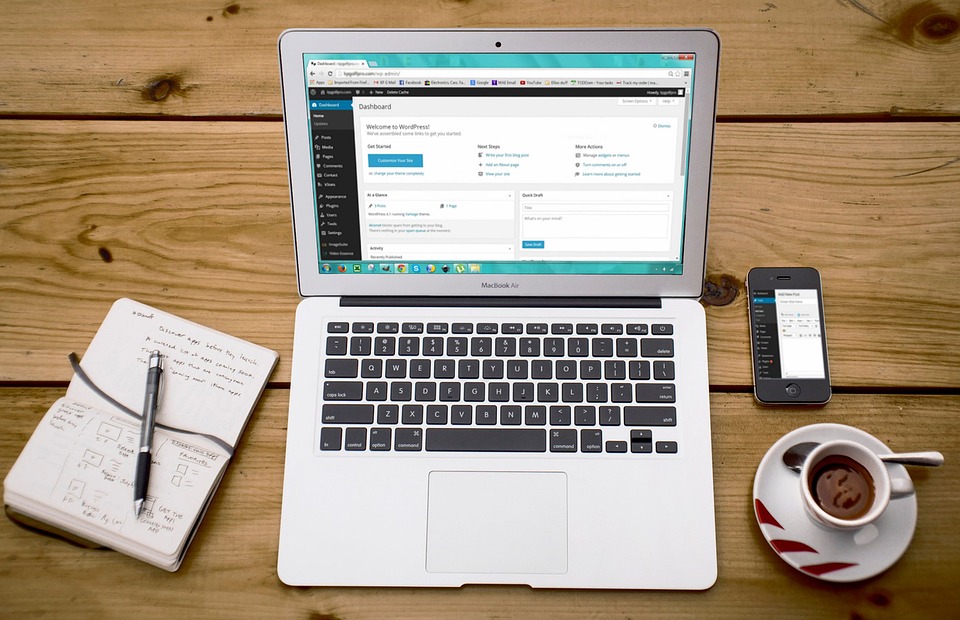
10 Tips for Hiring the Best WordPress Freelancer for Your Business Needs

10 Tips for Hiring the Best WordPress Freelancer for Your Business Needs

Hiring the right WordPress freelancer can be the key to growing your online presence, whether you’re a small business owner or a larger corporation looking to create a high-performing website. A freelancer offers flexibility, affordability, and expertise that may be just what you need to drive your projects forward. According to a survey by Freelancer, 59% of businesses in the US and UK now opt for freelancers to support their technical needs, making it a growing trend across industries. This article will provide you with 10 actionable tips for finding the best WordPress freelancer to meet your business goals, while ensuring that you’re getting quality work at a competitive price. And if you’re looking for professional assistance, companies like Bold Assistants specialize in matching businesses in the US and UK with affordable WordPress developers from overseas, ensuring cost-effective solutions without compromising quality. 1. Define Your Project Scope Clearly Before you even begin looking for a WordPress freelancer, it’s essential to clearly define your project. Whether you’re building a new website, redesigning an existing one, or adding custom features, knowing exactly what you need will help you find a freelancer with the right skill set. For instance, Suppose you’re launching an e-commerce site. You’ll need a freelancer who has experience with WooCommerce integration, payment gateway setup, and product page optimization. A clear scope helps both you and the freelancer understand expectations, timelines, and costs. Use a project brief to outline all of your project requirements. If you’re uncertain about what to include, Bold Assistants can help guide you through this process. 2. Look for Relevant Experience and Portfolio One of the first things you should look at when considering a WordPress freelancer is their portfolio. A strong portfolio showcases their ability to complete projects similar to yours. Look for previous work that matches the style, complexity, and functionality you need. For instance, If you’re a restaurant owner, hiring a freelancer who has built restaurant websites with online booking systems or menus can save time and money. Their prior experience in your industry allows them to provide insights on how best to structure your website. Request samples or links to live projects. Don’t hesitate to ask for references from past clients to get an idea of how they work and their reputation. 3. Check Technical Skills and Expertise Not all WordPress freelancers are created equal. Some may specialize in design, while others focus on development. It’s crucial to ensure that your freelancer has the technical skills needed for your specific project. For instance, If you need a custom WordPress theme developed, you’ll need a freelancer proficient in PHP, HTML, CSS, and JavaScript. On the other hand, if you’re simply looking to tweak your existing theme, a designer with experience in CSS and visual customization will be enough. 4. Understand the Pricing Structure When it comes to hiring a WordPress freelancer, understanding how they charge is essential for staying within your budget. Freelancers typically charge in two ways: hourly rates or fixed project fees. A freelance developer might charge $50-$100 per hour, while others might offer a fixed fee based on the project’s scope, like $1,000 for a simple blog site. It’s essential to have clear expectations on both ends to avoid misunderstandings. Get a breakdown of the freelancer’s pricing, including potential additional costs for revisions or extra services.  5. Use Online Platforms to Vet Freelancers There are several platforms where you can find WordPress freelancers, such as Upwork and Fiverr. Whole these platforms generally give you access to thousands of freelance developers, there is usually a major setback with using them – you are left on your own in picking the right fit. This come with many problems, such as working with a developer who doesn’t understand your niche or business, or who is not well grounded in their supposed skillset. A better alternative which has gained popularity is to use freelance talent agencies for WordPress developers like Boldassistants. The major advantage is that you get direct access to prevetted, highly talented WordPress talents who are available to get started on your web development project in no time.  6. Communication is Key When hiring a WordPress freelancer, clear and consistent communication is essential to ensure that your project stays on track. It’s important to find someone who responds promptly to emails or messages and is proactive in offering updates. If you’re working on a time-sensitive project, like a product launch, you’ll need a freelancer who can keep you updated regularly on their progress and notify you of any potential delays. You should also establish a clear communication plan before starting the project, including expectations for updates, check-ins, and preferred communication channels (email, Slack, etc.). This will help prevent any misunderstandings during the project. 7. Ask About Maintenance and Support Websites require ongoing maintenance and support, even after the initial development is complete. Ask potential WordPress freelancers if they offer ongoing support or if they can help with site updates and security after the project is completed. If your website uses a custom theme for instance, you may need a freelancer to troubleshoot any bugs or update the theme with new WordPress releases. It’s better to know upfront if this is a service they offer. If ongoing support is crucial to you, ask about the freelancer’s maintenance packages. 8. Consider Time Zone and Availability When hiring a WordPress freelancer, you’ll want to consider time zone differences and availability. If you’re working with someone in a different time zone, make sure that their working hours overlap with yours to ensure smooth communication.   If you’re in New York and hiring a freelancer based in the UK, there’s a 5-hour difference. Having overlapping work hours helps ensure faster response times and keeps your project moving forward. Be realistic about the freelancer’s availability. If your project requires urgent turnaround, you may want to find a freelancer who works during your business hours or has a flexible schedule. 9. Set Milestones and Deadlines Setting clear project

10 Tips for Hiring the Best WordPress Freelancer for Your Business Needs Read More »

10 questions to ask a WordPress developer in an interview 

10 questions to ask a WordPress developer in an interview 

When hiring a WordPress developer, asking the right questions can mean the difference between finding a candidate who can elevate your project and one who might not meet your needs. Whether you’re building a new website, revamping your current platform, or troubleshooting technical issues, identifying the right fit is crucial. In this article, we’ll dive into practical WordPress developer interview questions when hiring will help you navigate the hiring process effectively.   According to recent surveys, WordPress powers over 43% of websites globally, highlighting the demand for skilled developers. Effective hiring begins with the right interview questions to identify the perfect fit for your project’s needs. At Bold Assistants, we specialize in connecting companies in the USA and UK with talented overseas developers who offer high-quality results at a fraction of the cost. Hiring with us ensures that you get the skills you need without breaking the bank. Why Asking the Right Questions Matters Hiring a WordPress developer isn’t just about technical skills. You need someone who understands your goals, communicates effectively, and fits within your budget. Asking a WordPress developer interview questions when hiring allows you to: Assess the candidate’s technical expertise. Understand their problem-solving approach. Ensure compatibility with your workflow. For instance, if you’re looking for custom plugin development, you’ll want someone experienced with PHP and WordPress hooks. Similarly, if you need a responsive site, you’ll want a developer skilled in front-end tools like JavaScript, HTML, and CSS. 1. What is Your Experience with WordPress Development? This foundational question helps you understand the candidate’s background. Look for details about: The number of projects they’ve completed. Types of WordPress sites they’ve worked on (e.g., e-commerce, blogs, membership sites). Custom themes or plugins they’ve developed. For example, a strong candidate might describe their experience building a WooCommerce store for a UK-based business, integrating payment gateways, and optimizing it for mobile users. When recruiting globally, cost-effectiveness matters. At Bold Assistants, we can help you hire skilled WordPress developers who have verifiable experience and a proven track record. 2. How Do You Ensure Website Security? Security is vital for WordPress sites, given its popularity as a CMS. Ask about their approach to: Protecting against SQL injection and XSS attacks. Keeping themes, plugins, and WordPress core up to date. Using security plugins like Wordfence or Sucuri. Let’s say you run an online store. You’ll want a developer who not only uses HTTPS but also understands server-side security configurations. A candidate might explain how they’ve mitigated threats by restricting file permissions and implementing regular backups. 3. How Do You Optimize WordPress Websites for Performance? Website performance directly impacts user experience and SEO rankings. A good developer should discuss: Caching techniques (e.g., WP Super Cache, W3 Total Cache). Database optimization. Minimizing CSS, JavaScript, and image sizes. Consider this: If your business is in the USA and your audience primarily uses mobile devices, a developer who emphasizes image lazy loading and efficient server configurations can ensure faster load times. Hiring from Bold Assistants ensures access to overseas developers skilled in implementing these best practices. 4. What is Your Process for Debugging WordPress Issues? Every website runs into issues, from plugin conflicts to unexpected downtime. Understanding a developer’s troubleshooting process is crucial. Look for answers that include: Using debugging tools like Query Monitor. Isolating problematic plugins. Reviewing error logs to identify root causes. A developer might describe how they resolved a critical error caused by a poorly coded plugin by disabling it via FTP, fixing the code, and reactivating it safely. 5. How Do You Approach Cross-Browser and Mobile Compatibility? Your audience will use various devices and browsers. A qualified developer should ensure your site looks great everywhere by: Testing on multiple browsers and devices. Using frameworks like Bootstrap for responsive design. Debugging with tools like BrowserStack. For example, a well-versed developer can describe optimizing a corporate website for the iPhone 15 while ensuring it functions seamlessly on older Android devices.   6. Can You Provide Examples of Custom Themes or Plugins You’ve Developed? This question allows you to evaluate the depth of a developer’s coding skills. Ask for examples or a demo of: Custom themes tailored to a client’s branding. Plugins that add unique functionality. At Bold Assistants, we’ve seen overseas developers craft exceptional plugins, such as advanced booking systems or automated email triggers for businesses in the UK and USA. 7. How Do You Stay Updated with WordPress Trends? WordPress evolves rapidly, with new updates, themes, and plugins. A strong candidate should mention: Following the official WordPress blog. Engaging with the WordPress community via forums or meetups. Continuous learning through courses and certifications. For example, staying informed about Gutenberg updates is essential for developers working with block-based design. 8. What Tools Do You Use in Your Workflow? Understanding their toolset can give insight into how efficient and modern their processes are. Ask about: IDEs like VS Code or PHPStorm. Version control systems like Git. Task management tools like Trello or Asana. If you’re outsourcing talent, this also helps ensure their workflow aligns with your team’s tools. 9. How Do You Handle WordPress Updates Without Breaking a Site? A professional WordPress developer should explain strategies like: Testing updates in a staging environment. Taking full backups before updates. Gradually updating plugins, themes, and WordPress core. For instance, if you’re running a live e-commerce store, unexpected downtime during updates can result in lost revenue. Developers should take precautions to avoid such scenarios. 10. Can You Collaborate with Designers or Other Developers? Many projects require teamwork. A good developer should be comfortable collaborating with: Designers for front-end aesthetics. Content writers for SEO optimization. Developers for complex integrations. Our WordPress developers at Bold Assistants are skilled in working with international teams, ensuring seamless collaboration across time zones. Conclusion Hiring a WordPress developer doesn’t have to be overwhelming. By asking targeted interview questions and understanding the answers, you can identify the best fit for your needs. At Bold Assistants, we specialize in helping businesses in the USA and UK recruit talented,

10 questions to ask a WordPress developer in an interview  Read More »

How to Hire a WordPress Developer: A Complete Guide for Businesses   

How to Hire a WordPress Developer: A Complete Guide for Businesses   

Hiring the right WordPress developer can make a huge difference in the success of your website, and by extension, your business. This guide will walk you through everything you need to know about how to hire a WordPress developer, what skills and qualities to look for, and where to find talent that fits your budget. Whether you’re looking to build a high-performing e-commerce site or a dynamic blog, following these tips will help you find the best WordPress developer for your project.   Why Hiring the Right WordPress Developer Matters Your website is often the first impression customers have of your business. A well-designed WordPress site that runs smoothly, is optimized for search engines, and offers a seamless user experience can give your business an edge. On the flip side, an underperforming or poorly designed website can quickly drive potential customers away. For companies in the USA and UK, hiring overseas WordPress developers through agencies like Bold Assistants offers the opportunity to work with talented developers who provide quality service at more affordable rates. Our approach connects you with skilled professionals who are not only experienced in WordPress but also familiar with the latest web development trends.  1. Know Your Needs: What Type of WordPress Developer Should You Hire? Before diving into the hiring process, clarify what you want your website to achieve. WordPress developers often specialize in different areas: Front-end Developers focus on the visual aspects and user experience. Back-end Developers work on the core functionalities and technical performance. Full-stack Developers can handle both front-end and back-end, making them versatile. Plugin and Theme Developers are experts in customizing WordPress plugins and themes to add unique features to your site. Understanding your specific needs helps you narrow down candidates, making it easier to hire the right developer. For instance, if you’re building an e-commerce website, a full-stack developer might be a good fit to handle both the site’s design and back-end transactions.  2. Essential Qualities and Skills to Look for in a WordPress Developer While there are several interesting facts about web developers, finding a WordPress developer with the right combination of skills and qualities is key. Here’s what you should look for:  Technical Proficiency: Strong skills in HTML, CSS, JavaScript, PHP, and MySQL are essential. SEO Knowledge: A good developer understands SEO fundamentals and can build a site optimized for search engines. UX/UI Design Principles: This helps in creating a visually appealing and user-friendly site. Communication Skills: Clear communication is crucial, especially if you’re managing a remote developer. Consider asking candidates to walk you through a project where they had to solve a technical challenge. Their response will give you insight into their problem-solving skills and how well they communicate technical concepts.  3. Proven Experience: Why a Strong Portfolio Matters A developer’s portfolio is a window into their capabilities. Look for portfolios that showcase a range of projects, ideally similar to what you want for your website. If possible, focus on developers with experience in industries related to yours. For example, if you’re running a retail business, a developer with experience in building e-commerce WordPress sites will likely have insights into functionalities like payment processing, product galleries, and inventory management. Portfolios also help you verify whether the developer’s style aligns with your brand vision.     4. Weighing Freelancers vs. WordPress Development Companies  When hiring a WordPress developer, you have two main options: hiring a freelancer or working with a development agency. Freelancers: They’re often more affordable but may require more oversight. Development Companies: Offer teams of specialists and typically have a higher price tag but provide stability and ongoing support. For businesses seeking affordable talent without sacrificing quality, Bold Assistants helps companies in the USA and UK find qualified overseas WordPress developers. By partnering with an agency, you gain access to developers who are screened for expertise, making it easier to find a reliable fit.  5. Key Questions to Ask When Hiring a WordPress Developer Asking the right questions helps you understand a candidate’s experience and how they approach their work. Here are some important questions to consider: What kind of WordPress projects have you completed? How do you handle site performance and security? Can you show examples of custom themes or plugins you’ve developed? These questions will help you assess the developer’s technical ability and whether they can handle your specific requirements. Also, if you’re interested in customizations like unique themes, this is a good time to gauge their creativity.   6. Technical Skills Checklist for Hiring a WordPress Developer A great WordPress developer will have proficiency in several technical areas: Custom Themes and Plugins: Customization is often key for creating a unique brand experience. Responsive Design: Sites need to work well on both desktop and mobile. Site Security: Keeping your site safe from hacks and breaches is crucial. Performance Optimization: Faster load times improve SEO and user experience. These technical skills ensure your developer can build a robust and adaptable website.  7. Budget Considerations: What Does a WordPress Developer Cost? The cost of hiring a WordPress developer varies widely based on experience, location, and project complexity. For example, developers in the UK or USA generally charge higher rates than overseas developers. This is where working with an agency like Bold Assistants can make a difference. We connect you with skilled developers abroad, giving you the quality you need at a fraction of the cost. Hiring from overseas, especially for small-to-medium businesses, can make quality WordPress development much more accessible without compromising on expertise or reliability.  8. Where to Find Qualified WordPress Developers Finding the right developer can be challenging, but several platforms and agencies make it easier: Freelance Platforms: Sites like Upwork or Freelancer offer many options, but vetting is essential. WordPress-Specific Agencies: Agencies like Bold Assistants specialize in connecting businesses with experienced WordPress developers who are affordable and reliable. This approach provides more assurance than freelancing platforms, as agencies like Bold Assistants vet candidates for quality and compatibility.  9. Red Flags to Watch Out for When Hiring

How to Hire a WordPress Developer: A Complete Guide for Businesses    Read More »

How to Manage Time Zone Differences When Hiring Abroad  

How to Manage Time Zone Differences When Hiring Abroad  

Managing time zone differences is one of the biggest challenges businesses face when hiring remote talent. At Bold Assistants, we understand this well, helping companies in the USA and UK hire skilled WordPress developers and graphic designers from around the world. Remote hiring can bring great benefits, including access to diverse talent and cost savings, but the key to success often lies in effectively managing time zone differences.  According to Remote’s 2024 Global Workforce Report found that 71% of teams are recruiting globally. This is because company’s of all sizes are looking to hire the best talents without being limited by physical geography.   Below, we’ll walk you through practical, actionable tips for managing these differences so you can build a seamless, productive remote team. Whether you’re a small startup or a large enterprise, these strategies can help you make the most of a global workforce.  Why Managing Time Zone Differences Matters in Remote Hiring Hiring talent from other time zones has obvious benefits—access to specialized skills and, often, more affordable rates. But with those benefits comes the challenge of coordinating across hours or even days. This can impact project timelines, communication, and collaboration. For instance, if you’re based in New York but your WordPress developer is in India, you have to account for a 9.5-hour time difference. Understanding this and planning around it can make or break the effectiveness of your remote team. Managing time zone differences in remote hiring is essential for seamless communication, efficient project handovers, and ensuring team productivity across regions.  At Bold Assistants, we specialize in sourcing overseas talent that fits seamlessly into your workflows. Our team supports you in hiring WordPress developers and graphic designers who can adjust to your needs despite time differences.   1. Choose Talent in Compatible Time Zones When Possible One way to minimize time zone issues is to select candidates who are within a compatible time range. For example, companies in London often find it easier to work with talent in Eastern Europe rather than in Asia, as there’s only a 2-3 hour difference. If flexibility isn’t crucial for your project but collaboration is, this minor adjustment can be a game changer. Even though at Bold Assistants we recruit globally, we’ll work with you to find talent in regions that fit your preferred working hours whenever possible.   2. Use Time Zone Management Tools Effective time zone management often comes down to having the right tools. Here are a few that can make coordination much easier: World Time Buddy: This tool lets you view multiple time zones simultaneously, making it easy to schedule meetings. Google Calendar: With Google Calendar, you can set events in different time zones and send reminders to keep everyone on track. Clockwise: This tool uses AI to automatically find the best meeting times for remote teams, considering overlapping work hours. These tools don’t just simplify scheduling—they help reduce the risk of missed meetings and confusion, making them essential for any remote team manager.  3. Establish Overlapping Work Hours Finding even a few overlapping hours for all team members can significantly improve productivity. For example, if you’re based in New York and your designer is in Poland, you’ll have a 6-hour overlap in the early morning hours, making it possible to have real-time discussions. At Bold Assistants, we suggest setting up a shared “overlap schedule” during hiring, ensuring both parties agree on dedicated hours for team meetings or urgent discussions. Creating this overlap at the start helps set expectations and avoids frustration later on.  4. Lean into Asynchronous Communication In remote teams, synchronous communication (where everyone is online at the same time) isn’t always possible. That’s where asynchronous communication comes in. This involves setting up communication methods where team members can respond in their own time—such as through project management tools, email, or recorded video messages. For example, when working with developers or designers across time zones, consider using a project management platform like Asana or Trello to organize tasks and deadlines. Team members can update the project board as they complete tasks, making it easy for others to follow along without requiring real-time responses.  5. Record Important Meetings for Review Recording meetings is a valuable practice for remote teams spread across different time zones. By recording team meetings and posting them on a shared platform, you allow those who couldn’t attend to catch up later. This also serves as a reference, so team members can go back and review specific points as needed. If you’re concerned about privacy, consider using a platform like Zoom or Microsoft Teams, both of which offer secure recording and easy sharing options.  6. Turn Time Zone Differences into an Advantage Rather than viewing time zone differences as an obstacle, consider how you can leverage them. For instance, you might implement a “follow-the-sun” model, where team members in different regions handle tasks sequentially. This is particularly useful for customer support or around-the-clock content creation, as it enables continuous progress. At Bold Assistants, we can help you find talent for these roles, allowing you to keep operations running smoothly even outside your core business hours.   7. Build a Culture of Flexibility and Inclusivity Creating a positive remote work culture that respects and accommodates time zone differences is essential. Encourage flexibility by allowing team members to adjust their working hours where possible and be mindful of setting realistic deadlines that account for these variations. Recognize that your team members are balancing local commitments, too. By building flexibility and respect into your team culture, you’ll create a more productive and motivated remote team.   Conclusion: Succeeding with Time Zone Differences in Remote Teams Managing time zone differences in remote hiring doesn’t have to be a stumbling block. With the right tools, a focus on asynchronous communication, and a culture of flexibility, you can seamlessly integrate overseas talent into your team and enjoy the benefits of global collaboration. Whether it’s through setting up overlap hours or embracing a follow-the-sun approach, these strategies can help turn time

How to Manage Time Zone Differences When Hiring Abroad   Read More »

How to Find Web Design Clients [Cheatsheet]

Growing an agency can be hard. It’s almost impossible to grow an agency without a good pipeline of leads and enquiries who can be converted into new clients. Finding clients can require lots of effort but it does not have to be hard. We are happy to put together and share this Cheatsheet on how to find website design clients for your digital agency. Learn about the different strategies to get new clients and grow your agency, click here to download the Pdf. 

How to Find Web Design Clients [Cheatsheet] Read More »